Welcome to Solomon!

Enter the Access Code below

Access code is invalid

Solomon Logo

Versions Compared

Key

  • This line was added.
  • This line was removed.
  • Formatting was changed.

Things to know

...

before submitting a fixed goal:

  • Fixed goals are built to calculate expenses for a resident/intern with predetermined start and end dates (e.g. 24 months).
  • Fixed goals can have a number of expenses and one-time costs, all dependent on your program's specific parameters.
  • If an expense listed below is not on your Support Goal Calculator, it is not an offered or required expense for your program.
  • *Residents/interns under the Fixed Term Program Team will receive an Employment Parameters document at training that outlines their program details.

...

Expand
titleSalary
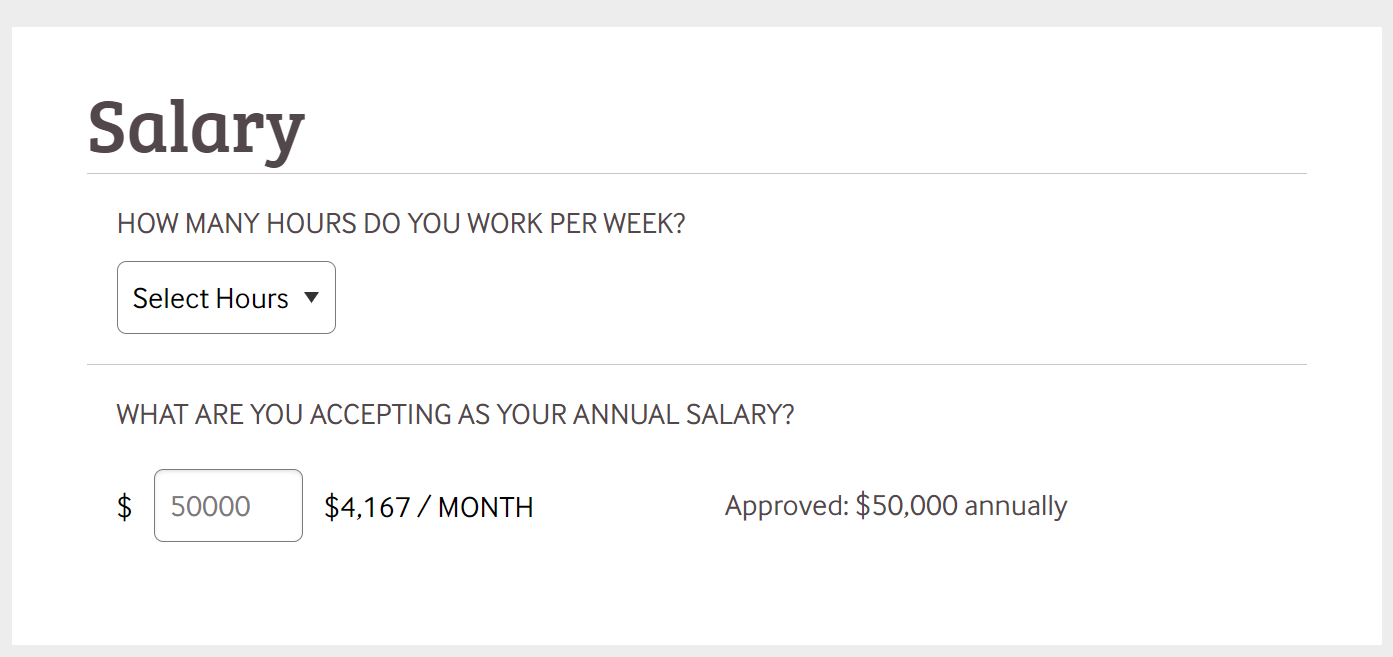
  1. Select how many hours were offered and accepted to work from the dropdown.
  2. Input the annual salary you have accepted to receive (must be within max approved shown to the right).
    1. Note: You can may accept a lower salary than offered, but not one that is higher.
    2. Supervisor approval may be required to approve a salary that is different from what was offered.

...

Expand
titleStart-up Bonus
  • This is an optional bonus paid out on the earliest possible payday after your hire date
  • Example: If your hire date is set for August 1, your first natural paycheck won't come until September 15. To avoid no pay for six weeks, you can may elect to receive a startup bonus (one extra month of pay) on the 15th of the month you are hired.
Expand
titleMoving Bonus
  • Learn about the purpose of a moving bonus here
  • This is most often paid out with your initial paycheck
  • Must be part of program parameters to be eligible to receive
    • If it's not part of your program's parameters, you shouldn't see this as a one-time cost option.
Expand
titleContinuing Education Reimbursements
  • Learn more about Reliant's Continuing Education benefit and process here
  • Must be part of program parameters to be eligible to receive
    • If it's not part of your program's parameters, you shouldn't see this as a one-time cost option.

...

Expand
titleMonthly Bonuses, Expenses, & Contributions

Monthly Ministry Expense Bonus

  • A monthly taxable bonus in addition to gross pay
  • Intended use: Personal expenses incurred for ministry-related items
  • Reliant does not track expenses related to the Ministry Expense Bonus

Monthly HSA (Health Savings Account) Ministry Expense Bonus

  • A monthly bonus in addition to gross pay
  • In addition to this needing to be in your program's parameters, you must also be on Reliant-provided insurance to opt into the HSA bonus
  • Intended use: To contribute additional funds to your HSA account with Reliant (from MTD funds raised to the account you're responsible for)
    • Reminder: If you're enrolled in a Reliant health benefit plan, some funds are already being contributed via your health insurance premium. Learn more here.

Monthly 403(b)(9) Retirement EMPLOYER Contributions

Info
titleEmployee Contributions

A 403(b)(9) goal selection DOES NOT affect the actual contribution through Principalthrough GuideStone. com. You will need to log into your retirement account on Principal and with GuideStone and make actual changes there.

  • For Fixed Term program team residents/interns, see your Employment Parameters for 403(b)(9) options and instructions. Questions? Email fixedterm@reliant.org.
  • For Collegiate or U.S. Churches program team residents/interns, please , see 403(b) Retirement Plan. As always, reach out to your liaison for your options. You may find this retirement Solomon page helpful.if you have questions.

*NOTE: Retirement fund matches will come from the MTD account you're responsible for every month, NOT from Reliant Central Budget nor your gross paycheck.

...