


Page History
Change Beneficiary on GuideStone website.
- Make sure you have registered registered with Guidestone, and login to the Guidestone website.
- From your dashboard, click on "Beneficiaries"
...
- On the next screen you will have the option to select a sole, primary beneficiary. If you are married, your spouse will have to provide consent for you to designate a primary beneficiary other than your spouse. There is also an option to designate your beneficiaries using a paper form. Select the option you would like and click "next."
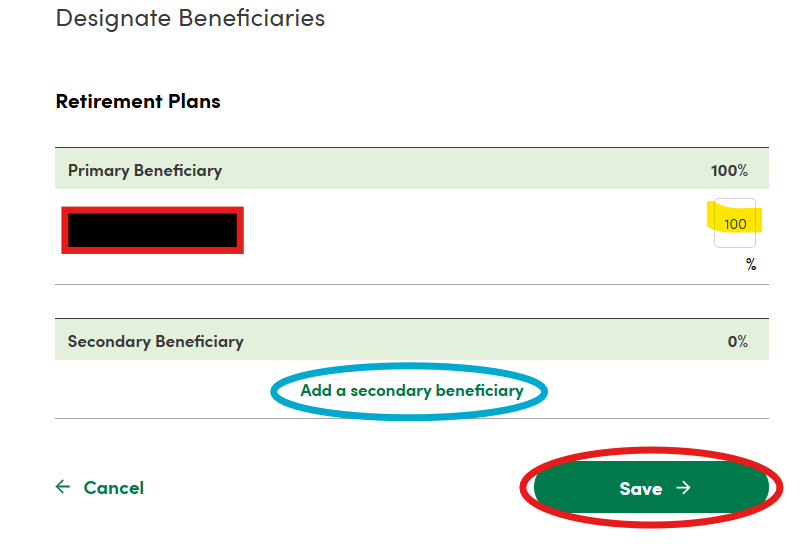
- If you select a sole, primary beneficiary (your spouse if you are married), then on the next screen you will be able to add a secondary beneficiary and indicate the percentages for each. Click "save" after you make your changes.
- If you select to use the paper form to designate beneficiaries, or choose someone other than your spouse to be the primary beneficiary, the next screen will provide a link for you to download the paper form which will need to be filled out, signed, and mailed to the address indicated on the form.
- If you select a sole, primary beneficiary (your spouse if you are married), then on the next screen you will be able to add a secondary beneficiary and indicate the percentages for each. Click "save" after you make your changes.

...
| title | Change Beneficiary on Principal website |
|---|
To make changes to your 403(b)(9) beneficiaries, please log on to the Principal website.
| Note |
|---|
On your first visit to the Principal website you'll be instructed to set-up a password for your account. By selecting "new user" you'll be prompted for your social security number and plan number. Reliant's plan # is 4-76065 . |
403(b)(9) Beneficiary Changes
This is used for changing the beneficiary for your retirement plan.
...
