Welcome to Solomon!

Enter the Access Code below

Access code is invalid

Solomon Logo

Versions Compared

Key

  • This line was added.
  • This line was removed.
  • Formatting was changed.
Comment: fixed communications email address

...

Note

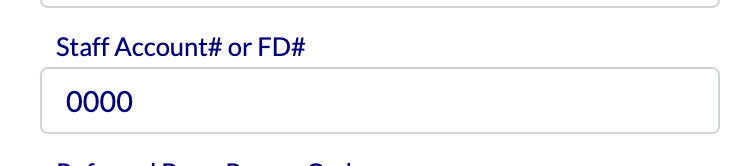
When ordering items from Chalk Line, it'fs s very important that you always include your FD Number with each order. 

Enter your FD# at checkout in the space that says "Staff account # or FD#"


SHIPPING- Shipping is paid for out of the MTD account for which the Reliant employee is responsible. You will not have to provide payment on Chalk Line; the shipping fees will be billed to your MTD account by Reliant Central. 

...

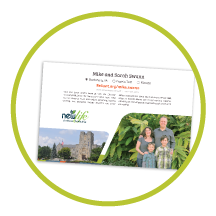
Most people in initial MTD order around 200 50 for giving to potential donors at the end of an MTD presentation. The profile The profile card (below) is designed to be placed inside the brochure, and your photo will show through, making you the face of Reliant.

Note

These brochures are ordered in packs of 50, so to order 200 brochures, order 4 packs of 50. 


Ministry Profile Card

The Profile Card is a core MTD piece designed to be left at every MTD appointment. Part leaving piece + calling card + How to Give brochure, you upload your own photos to this item, and Chalk Line will print it for you with professional quality. 

...

Note

You must have high-quality photos. 

UI Expand
titlePhoto Resolution Help

When selecting photos for your profile card, it's best to try to get the best resolution possible...

So you have a photo you like, but how do you know it's an OK size for print? Here are a couple of tips for finding out photo size and resolution:

Mac Help

Expand
titleMac Help
  1. Save the photo to your desktop
  2. Right-click the photo and click "Get Info."
  3. Look for "Dimensions" under "More Info"
  4. Anything above 2000 pixels is probably a safe bet, but remember, if it's blurry on your screen, it could look even more blurry (not less!) on paper.
  5. Email communications@reliant.org if you have specific questions or concerns

PC Help

Expand
titlePC Help
  1. Save the photo to your desktop
  2. Right-click the photo and click "Properties."
  3. Under "Image," you'll find Dimensions and Resolution
  4. Anything above 2000 pixels is probably a safe bet, but remember, if it's blurry on your screen, it could look even more blurry (not less!) on paper.
  5. 300 dpi (under horizontal and vertical resolution) is best... HINT: Facebook photos are only 72 dpi, which means the resolution is MUCH lower than ideal.
  6. Email communications@reliantEmail communications@reliant.org if you have specific questions or concerns


...

Our 8.5" by 5.5" book is similar to photo books ordered from Shutterfly or other popular photo sites. Every page is custom-designed by you (how to do it is below), and it easily lets you drop in digital photos of ministry, key facts to explain your mission field, and logos from your local church or network. Once created using google slidesGoogle Slides, you upload the PDF file to Chalk Line. 

...

Multiexcerpt
MultiExcerptNameordering


UI Expand
titleHow to upload your album to Chalkline

Order Your Book through Chalk Line

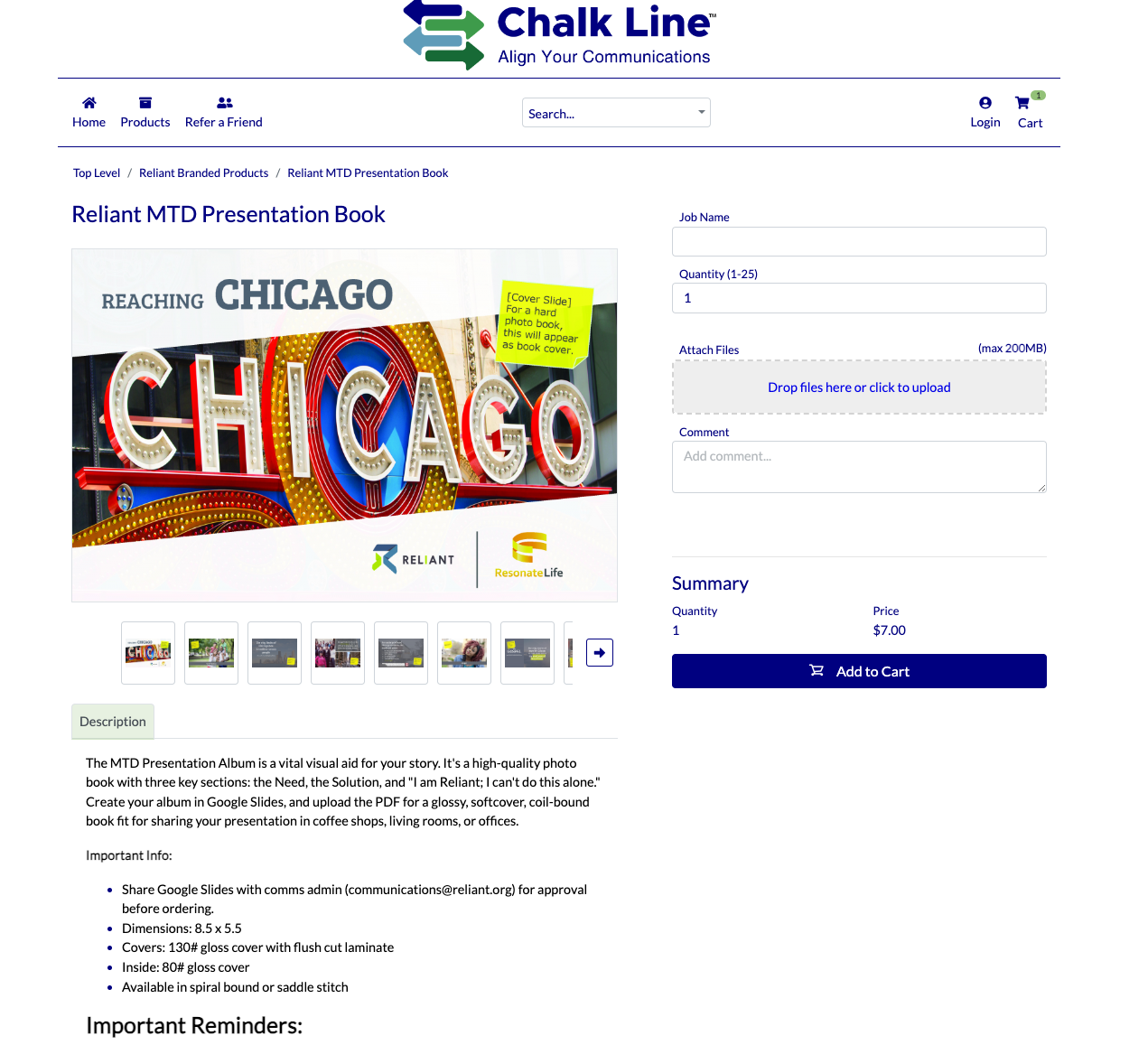
  1. Find the MTD Presentation book on our Chalk Line storefront

  2. Include your first and last name under the "Job Name"
  3. Choose how many books you would like (typically, 1 is enough unless you want to pass these out to people)
  4. Upload your PDF by clicking "Attach File"
  5. Comments- it is important to make sure you add your FD number in the comments section. 
  6. add to cart 
  7. Place order
  8. No payment is required on Chalk Line, shipping fees Payment & shipping will be charged to your MTD account, and Reliant will cover the costs of printingAccount.
  9. Book delivered in 7 to 14 days


...