


Page History
How do I search?
How do I find forms?
How do I find links within a page?
For assistance, problems, or questions, please get in touch with your Program Team.
| Anchor | ||||
|---|---|---|---|---|
|
Search
After logging in, you will see the FIELD MANUAL tab. Click on the down arrow and then select the section you would like to open.
There is also a search function that you can use on the upper right hand side.

Once you click on a name of a section, you will see a list on the left side of the page that includes pages and links available in the section.
It has automatically opened to the Ministry Team Development home page (whichever page you have open will be bold on the left).
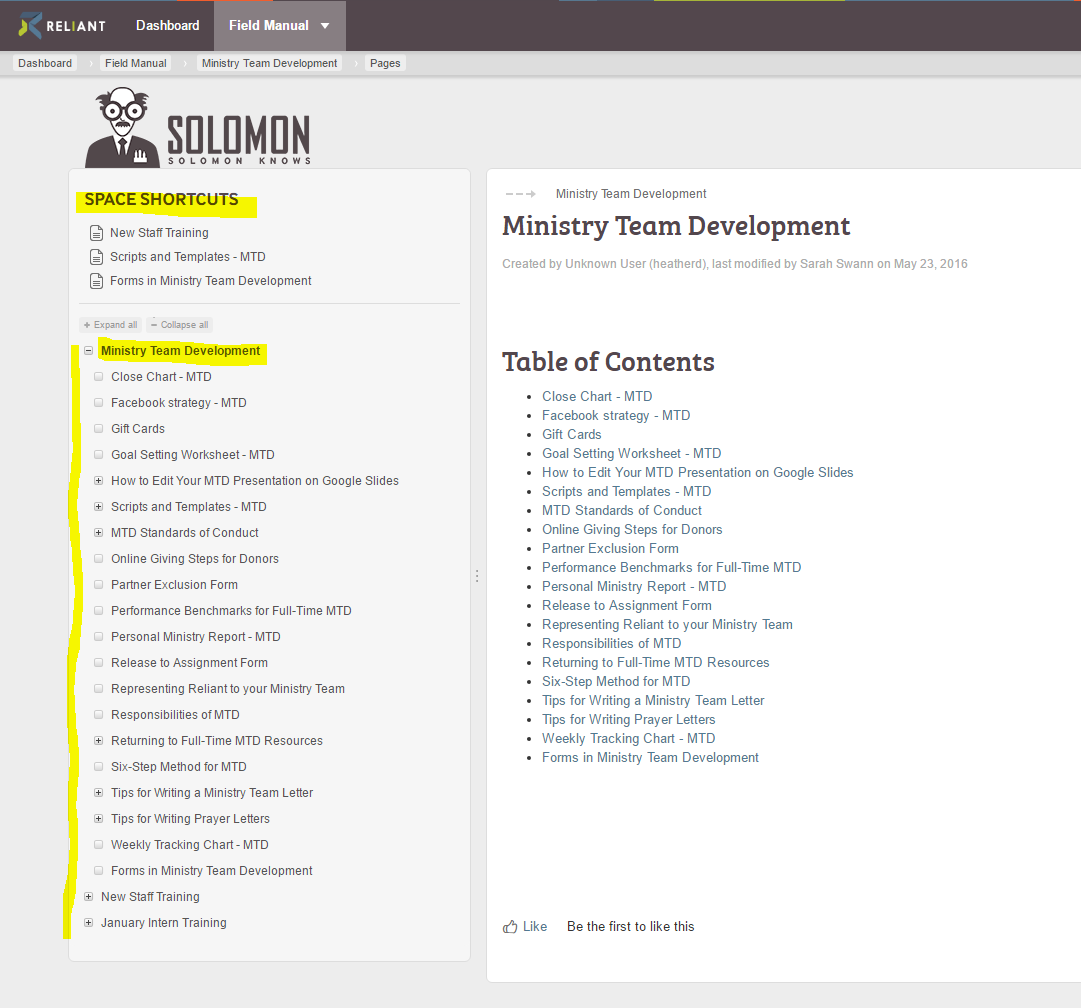
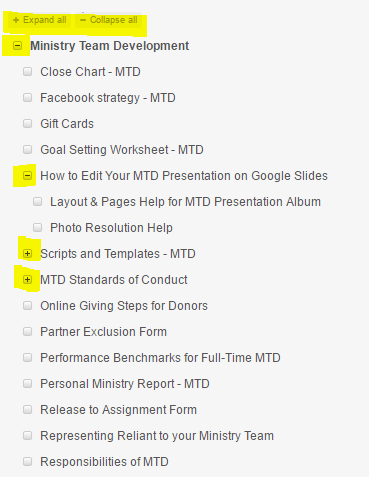
On the left side, initially the pages you see listed are the parent pages. If you click on the plus sign to the left of the words, it will open up into more visible pages. (See picture below).
- If you see the + sign, it means you are not seeing all the pages in that section.
- When you see the – sign in front of the page, that means that all the pages in that section are now visible.
- If there is no sign (just a blank box), it means there are no pages under that page.
If you accidentally hit this left arrow button the list of pages on the left hand side will disappear and just show you a file tree icon.
You can get the list of pages back by hitting the arrow again. (It will look like a right arrow at that point).
 Left arrow button
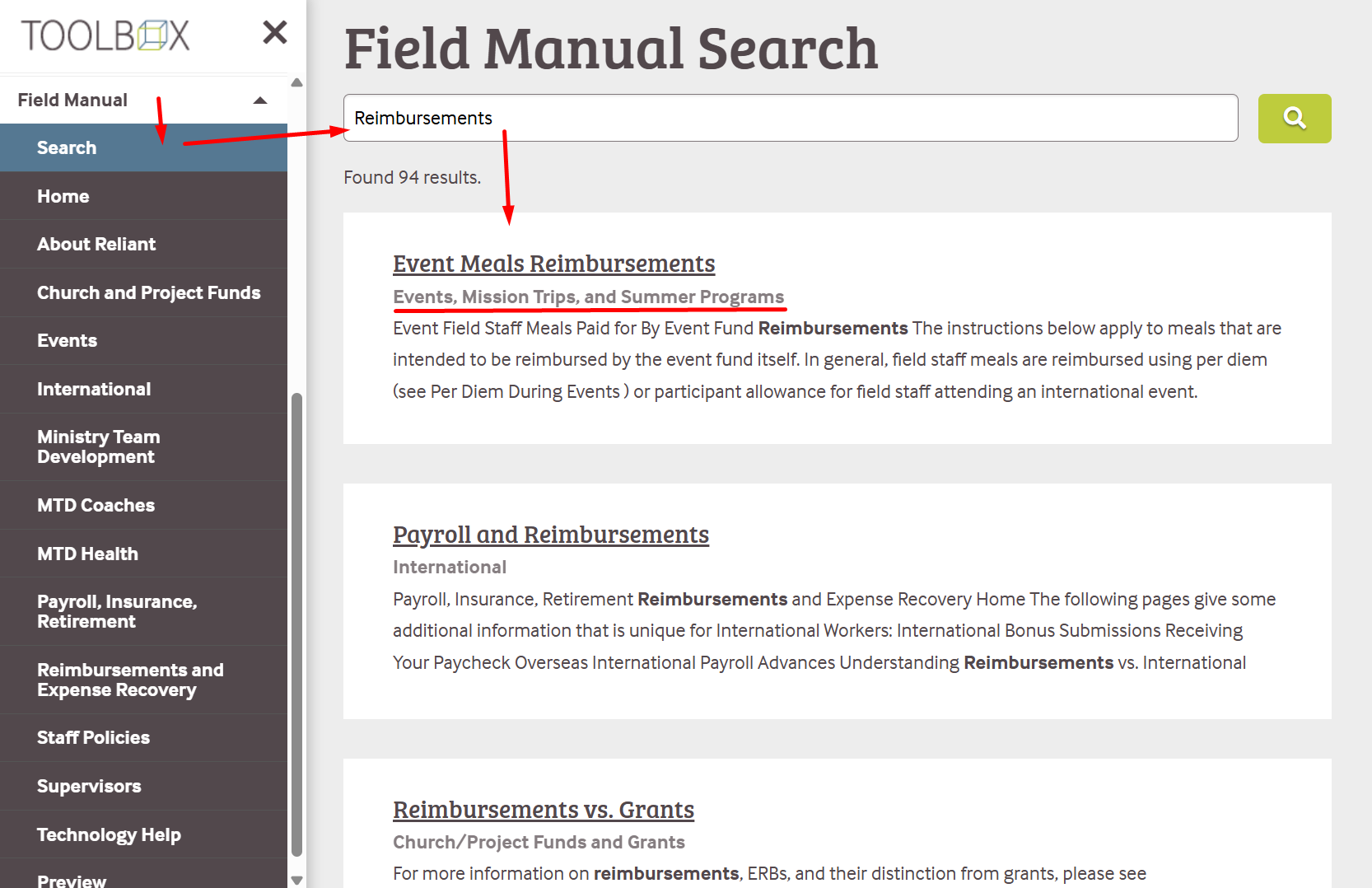
in the navigation. The first item in the navigation is "Search".
The field manual pages are housed in different spaces. You may find something that has the same topic listed more than once. (Ex. Reimbursement). You can see which space that topic is housed in on the line below each page title to help your decision on which page to open.
| Anchor | ||||
|---|---|---|---|---|
|
Forms
The field manual is home to all of our forms that used to be housed on our historical legacy websites.
You can go to these pages to find forms in specific spaces:
- Forms for International Workers
- Forms for Employee Policies
- Forms for Ministry Team Development
- Forms for Payroll
- Reimbursement and Expense Recovery Bonus Standard
- Forms for Retirement
The great part about the field manual is that we can now have information, policies, and forms all on the same page. So we suggest that rather than just going straight to a form, you search for the topic to find the page with information as well as the form to confirm that you are using the correct form and any other useful information, such as "do I have the correct form" or " how to submit the form," etc.
| Anchor | ||||
|---|---|---|---|---|
|
Links
The field manual is able to connect to other pages within a page, to forms, google documents, outside websites, etc. Whenever you see blue letters on a page, you know that you have found a link. (Ex. Forms for Employee Policies)
You may also find a box linking you to a google form. For example:
| UI Button | ||||||||||
|---|---|---|---|---|---|---|---|---|---|---|
|
On some pages, you will see a picture of a document. That picture is also a link to download the document. It would look like this: ...
Statement of Faith
| View file | ||||
|---|---|---|---|---|
|
 File tree icon