Welcome to Solomon!

Enter the Access Code below

Access code is invalid

Solomon Logo

Versions Compared

Key

  • This line was added.
  • This line was removed.
  • Formatting was changed.

We are so grateful for your ... encoruage you to continue following the Lord's leading as you generously give to support Kingdom work.. Here's a guide At times, updates and generous investment in ministry. For those times when updates or changes need to be made. Here, here's how to a handy guide.  


UI Steps
UI Step

Log into your Reliant account. 

  • Select "My Account" at the upper, right corner of the website
  • Then enter your email and password and select "Sign In"

Image Modified

Image Modified

UI Step

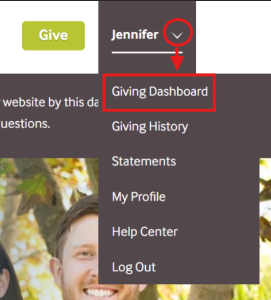
Once signed in

  • Locate your name in the upper, right corner of the website
  • Click the arrow next to your name
  • Select "Giving Dashboard" 

Image Modified

UI Step

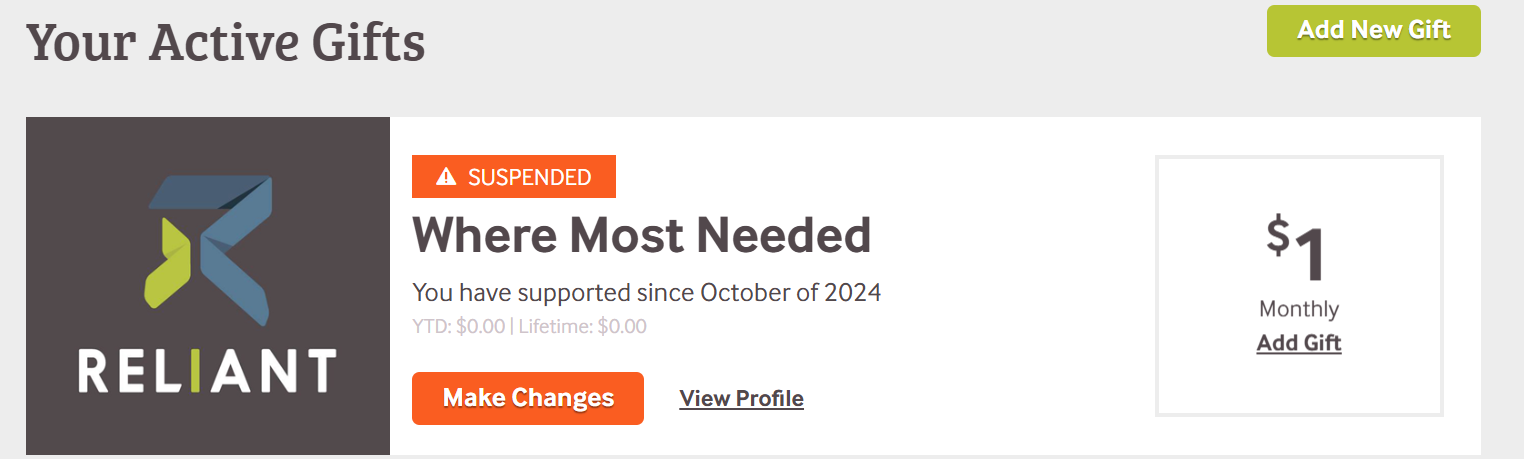
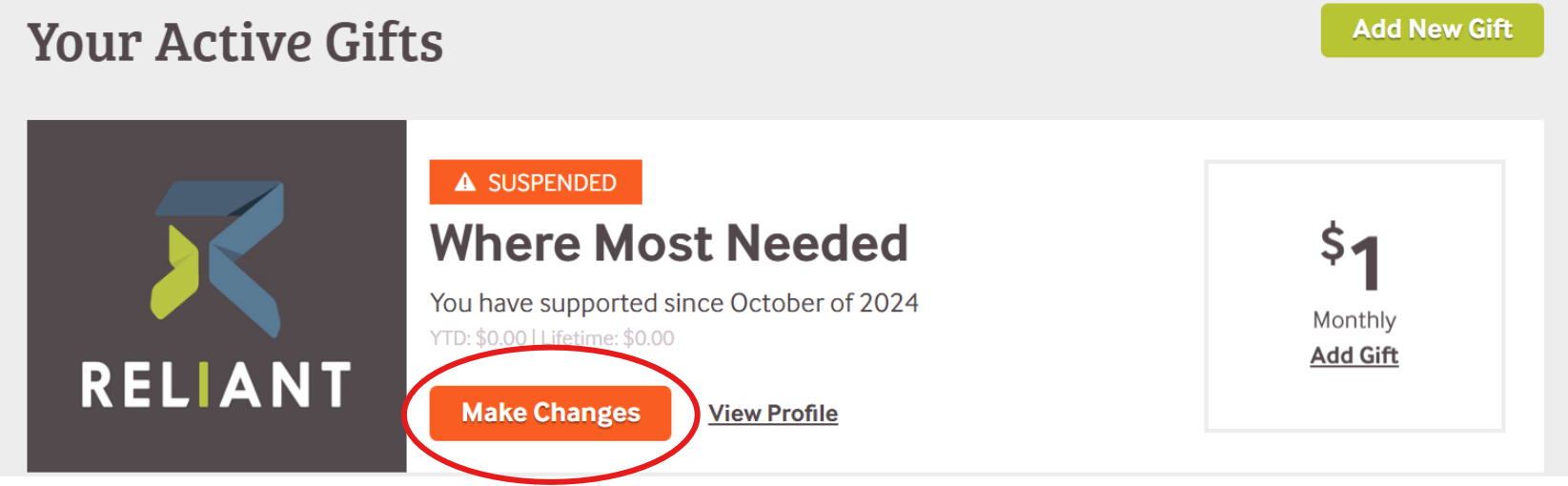
Locate the gift you want to changeupdate

  • Click the orange "Make Changes" button.
*
  • If a gift is marked with an orange "Suspended" banner,
that
  • it means there has been a disruption in giving. Disruptions can be caused by credit card decline, insufficient funds for a bank account transfer or a check/manual gift that has not been received 90 days past it's normal arrival date
Image Removed

Image Added

UI Step

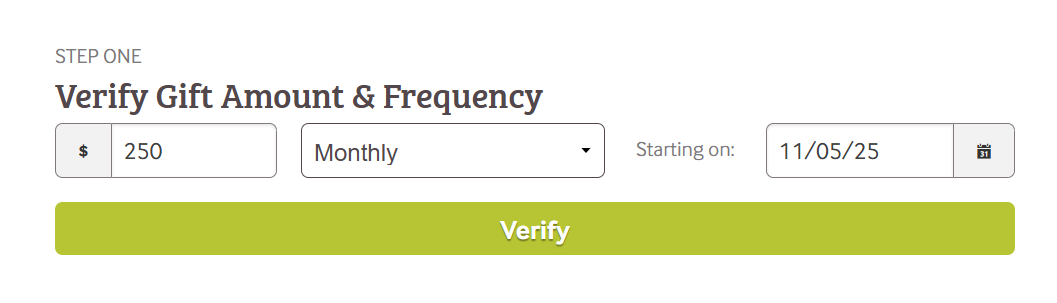
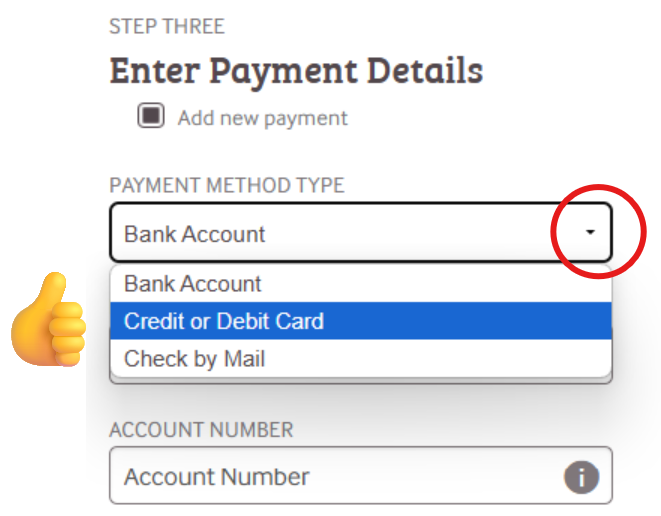
Verify the details for your gift, including amount, frequency, and payment method. 

Image Added

Image Added


*Menu defaults to "Bank Account." Other options are available by clicking the drop-down button. 


Or Contact Reliant's Donor Services Team

If you'd rather talk to a person instead of a website, our friendly team is just a phone call or email away. 

Excerpt Include
FMHOME:Donor Services contact
nopaneltrue


Info

See something that needs to be added or edited on this page? Let us know! MTD@Reliant.org