


Page History
...
- What do I do if I accidentally deleted some donor information and want to use GCM's data to restore it?
Assuming you already choose to accept GCM's data, you won't be able to just click the "Accept GCM" button (unless the donor has updated their information with GCM). What you can do is drag the donor info off the the side a little without closing it [Figure 21a]. Then, on TntMPD's main window, 1) click the "Address" tab if it's not already open, 2) click on the address itself to bring up the edit button (pencil), and 3) click the edit button [Figure 21b]. This will bring up TntMPD's address edit window [Figure 21c]. From here you can manually edit the address to match GCM's address.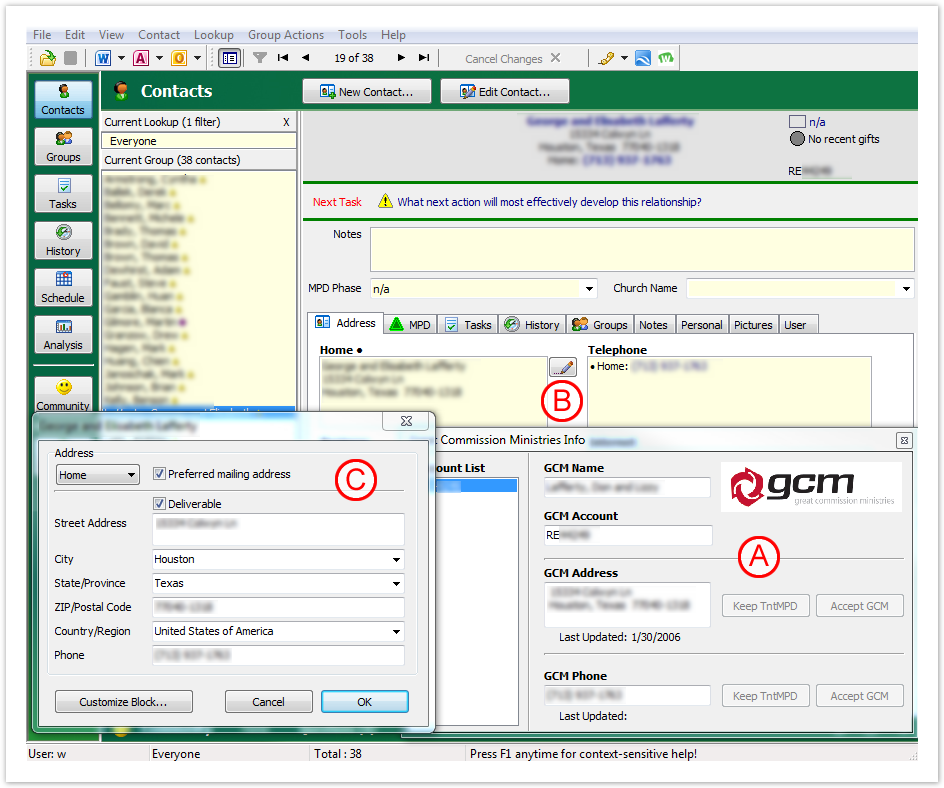
Figure 21 What do I do if I accidentally linked a donor to an account incorrectly?
Thankfully, TntMPD makes this fairly painless to change. Simply click on a contact's GCM Donor Number to bring up the popup. Then you can right click their GCM Donor Number in the popup to bring up the option to link the account to a different contact. If you choose "Link Account to Different Contact..." it will bring up a "Select a Contact..." window where you can link the GCM donor to a different TntMPD contact.Section Column width 50% 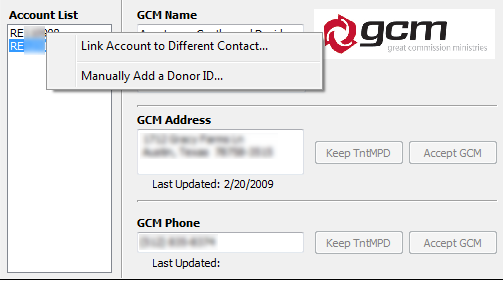
Figure 11a – No Org Account
Column width 50% 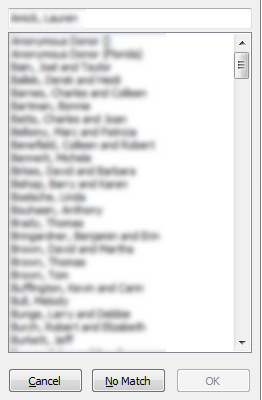
Figure 11b - Blank Org Inf
