


Page History
...
- Go to the current TntMPD page on mygcm. If you aren't logged in already it will take you to the login page.
https://www.gcmapp.net/mygcm/tntmpd.aspx - Click on the “TntMPD DataSync File” button to download your personal GCM TntMPD DataSync file. This file is created the moment you click the button and is a personalized data file for you. It will always have the most up to date data on gifts and donors that GCM has.
- Before we do the import, TntMPD allows you to setup automatic tasks for newly inputted data. We do not recommend allowing automatic tasks for your first import. If you do not turn this off, TntMPD will create tasks for all gifts you've ever received. This could create thousands of tasks related to the donors and gifts you will be importing from GCM. If you specifically want to have tasks created for all your GCM imported gifts, then skip to step 4. If however, you would not like to have tasks created for all your GCM imported gifts, you can temporarily disable automatic task creation in the options:
Select Tools in the top menu bar, and click on “Options” [Figure a1].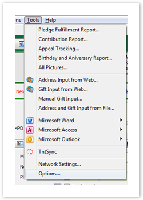
Figure a1 – Tools > Options
In the Options dialog, select the “Gifts” tag and uncheck the “Enable Automatic Actions for New Gifts” option [Figure a2].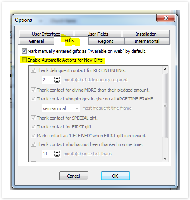
Figure a2 – Automatic Actions for New Gifts - Let's import the file! If your TntMPD installation was associated with .tntmpd file types, you can simply double click the downloaded file. Otherwise, in the TntMPD program, click on Tools (in the top menu bar) and select “Address and Gift Import from File,” and browse to your downloaded file [Figure a3].
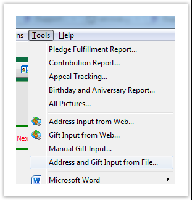
Figure a3 – Address and Gift Input from File - You might be prompted to find the matching country from a drop down. Select the correct option and click “OK” [Figure a4].
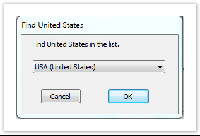
Figure a4 – Find Country Window - TntMPD will analyze the DataSync file and present you with a summary view [Figure a5] which highlights the number of contacts that will be added to your TntMPD database, the gifts associated with those contacts, the total amount of those gifts, and the dates of the oldest and most recent gifts.
To sync GCM data with your existing data, make sure you check the “Try to match new accounts with existing contacts” option. Click "Next" to dive in!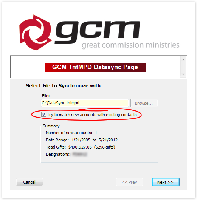
Figure a5 – DataSync Datasync Summary
Those Tricky Donors
...
