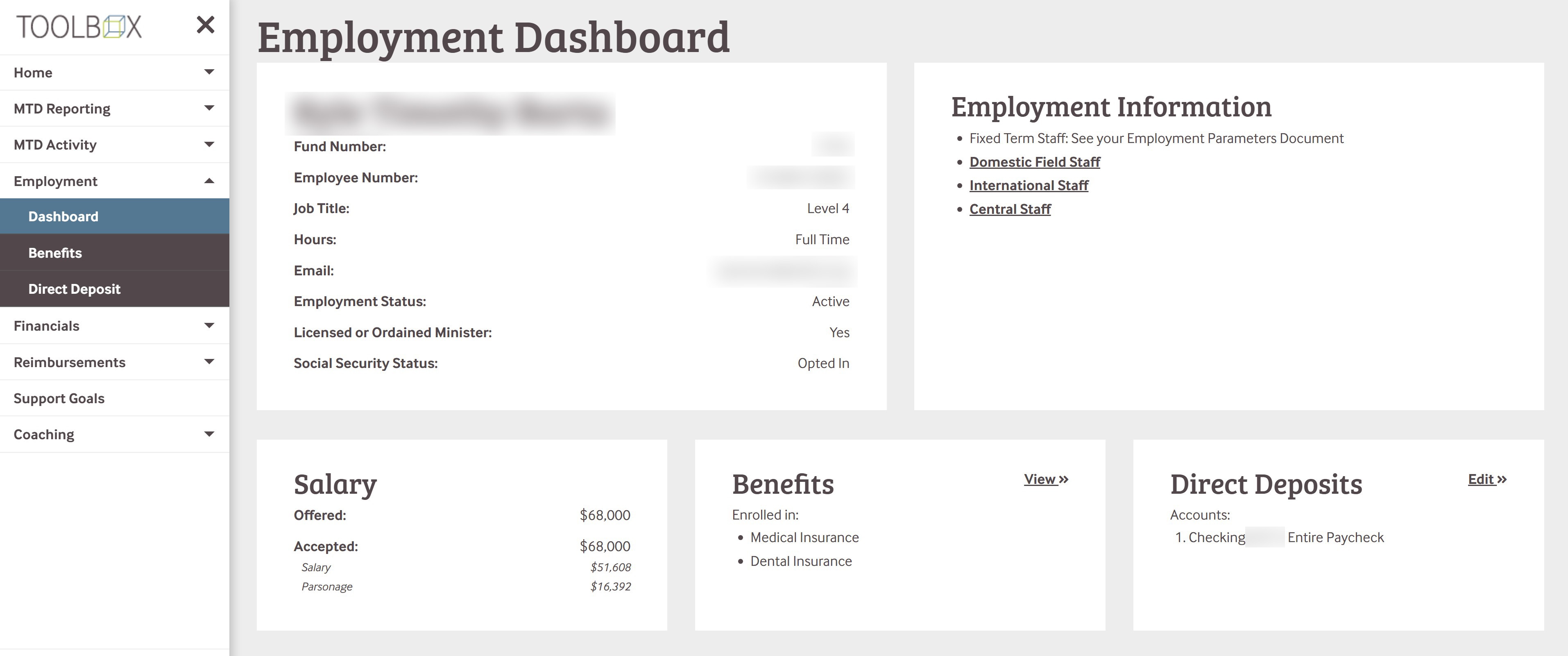
This section of Toolbox is focussed on Employee information, with the Dashboard being an informational summary. See the table below for more details about each section!
Benefits
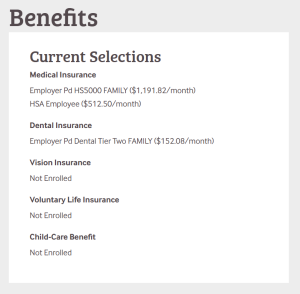
The Benefits section provides information regarding your current insurance and cafeteria-plan selections.
Direct Deposit
The Direct Deposit Tool allows you to select and update the bank account(s) used for payment for payroll and reimbursement direct deposits.
Note
The Direct Deposit Tool will not allow you to make any edits if Payroll or Reimbursement batches are currently being processed. The ability to make changes to bank account information will be blocked until after those payments have been completed in our system.
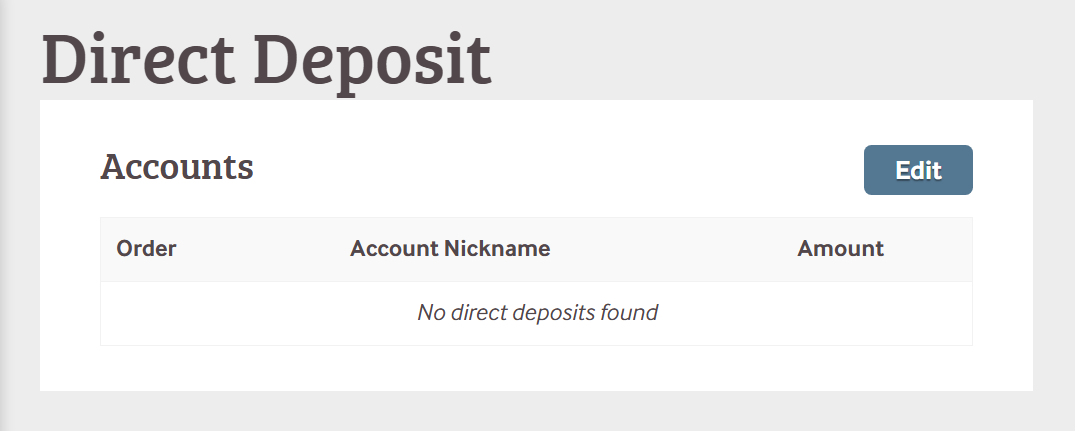
The Tool starts with a summary view of an employee's existing direct deposit information
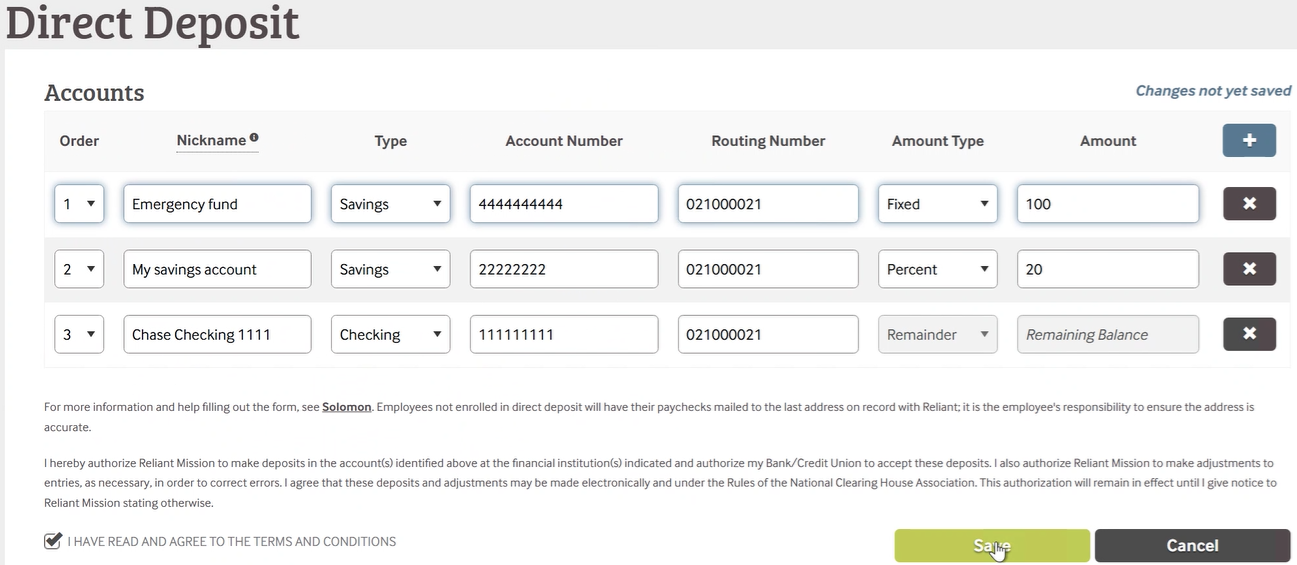
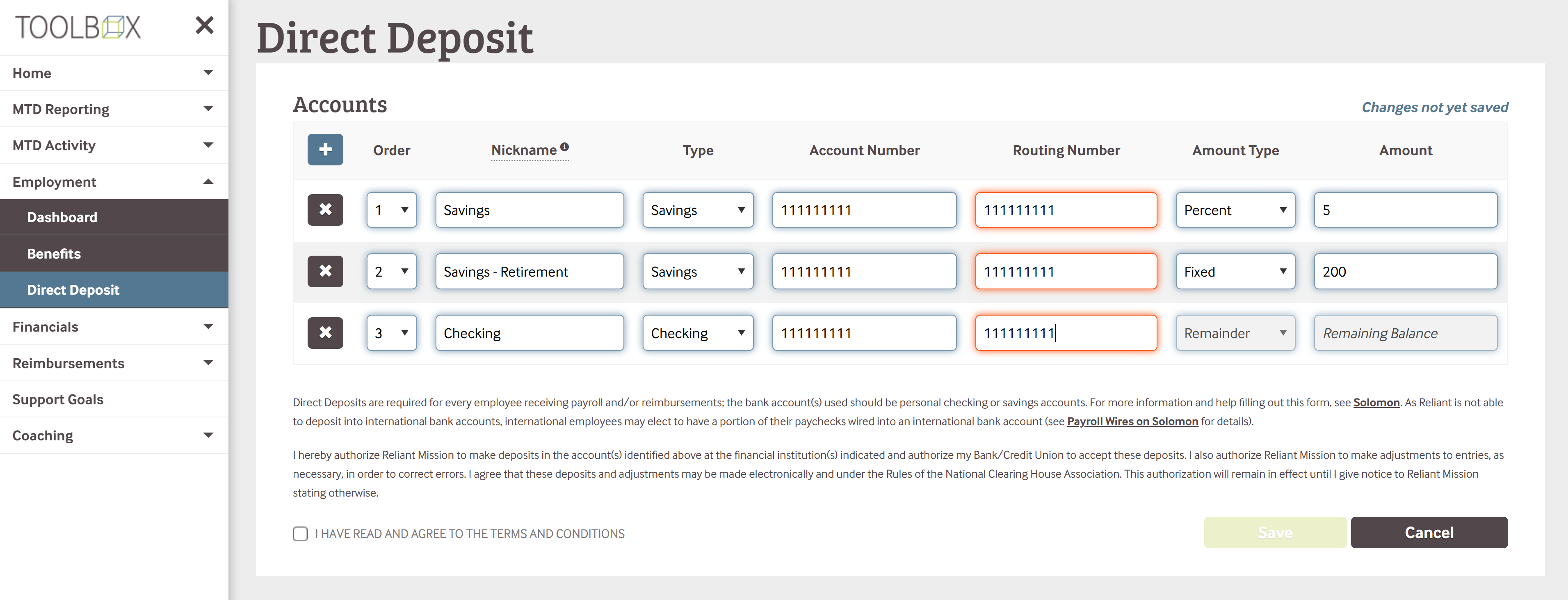
The EDIT view allows for individual bank accounts as line items for separating an employee's net pay amount
Choose the Nickname for the account which will be what is printed on the Pay Stub distribution
Each line item has an amount type which can be a fixed amount or a percentage of the gross paycheck
The final line will always be the "remaining balance"
It will ask you to check that you have read and agreed to the terms and conditions before it allows you to select SAVE. You must select SAVE in order for your changes to be updated in our system.



 8.5.4, themed by Refined