Comment:
Employment Section - not final screenshots
...
UI Expand
expanded
true
title
Employment
Employment
Anchor
employment
employment
How to Use
Visual
Dashboard
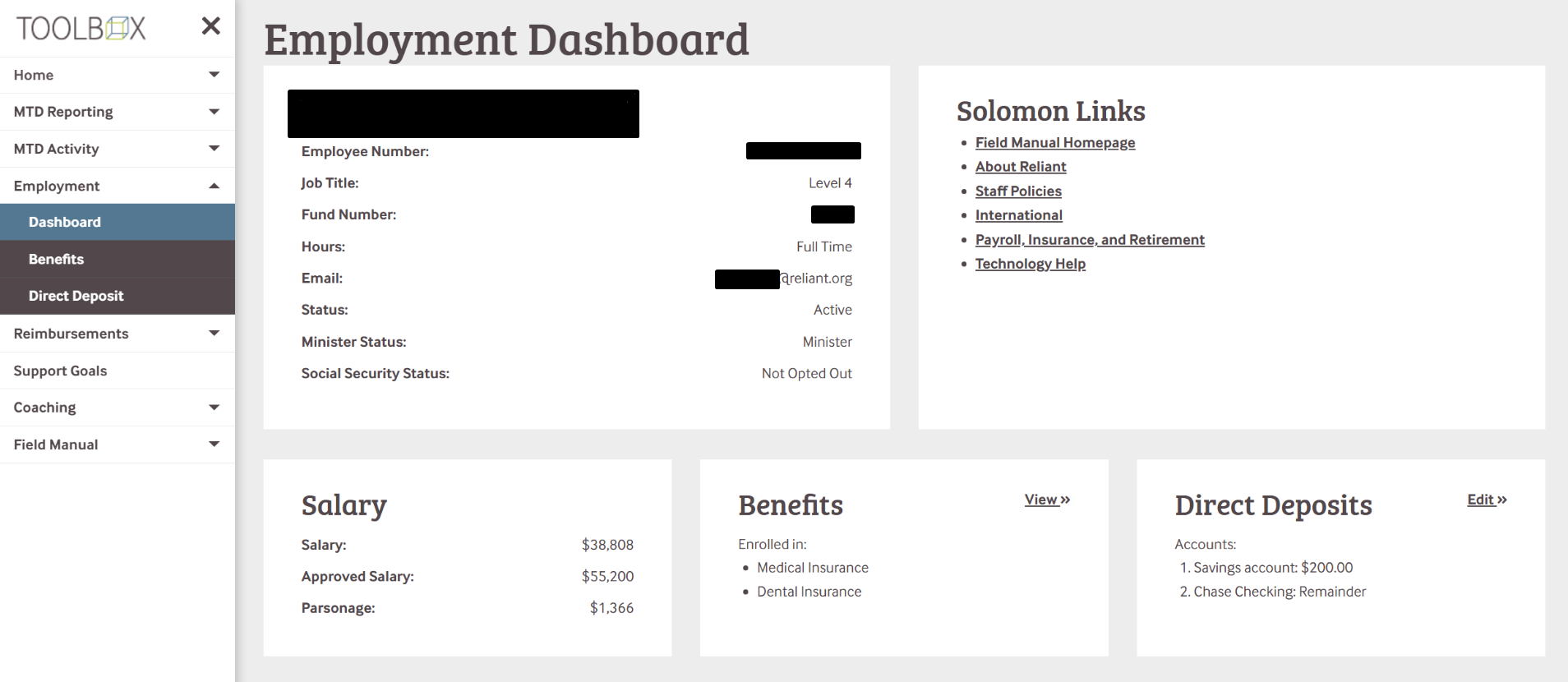
This section of Toolbox is focussed on Employee information, with the Dashboard being an informational summary. See the table below for more details about each section!
Benefits
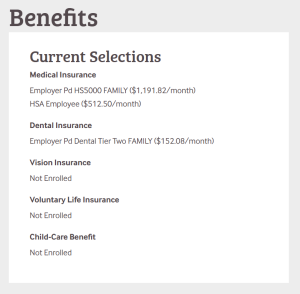
The Benefits section provides information regarding your current insurance and cafeteria-plan selections.
Direct Deposit
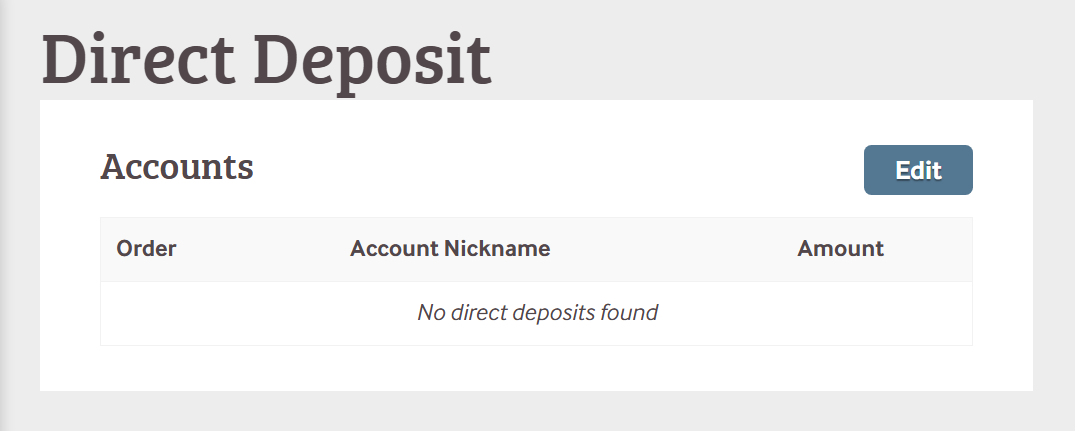
The Direct Deposit Tool allows you to select and upate the account(s) used for payroll direct deposits.
The tool starts in a summary view of an employees existing direc deposits.
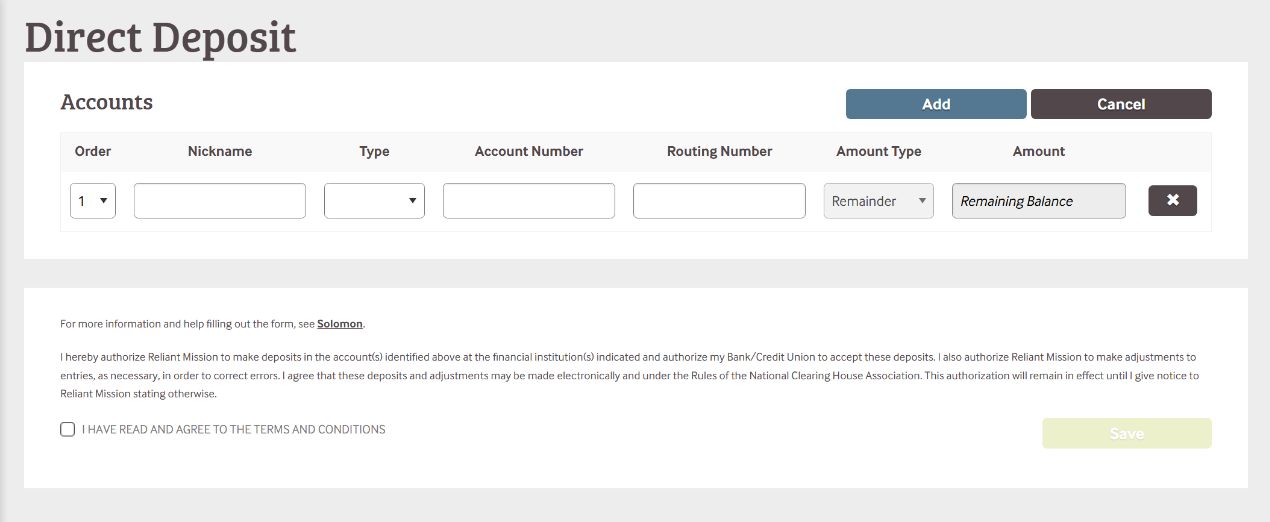
The edit view allows adding individual accounts as line items for separating an employees direct deposit.
Each line item has an amount type which can be a percentage of the gross paycheck, or a fixed amount.
The final line will always be the "remaining balance".
UI Expand
title
Financials
Financials
How to Use
Visual
Account Statement
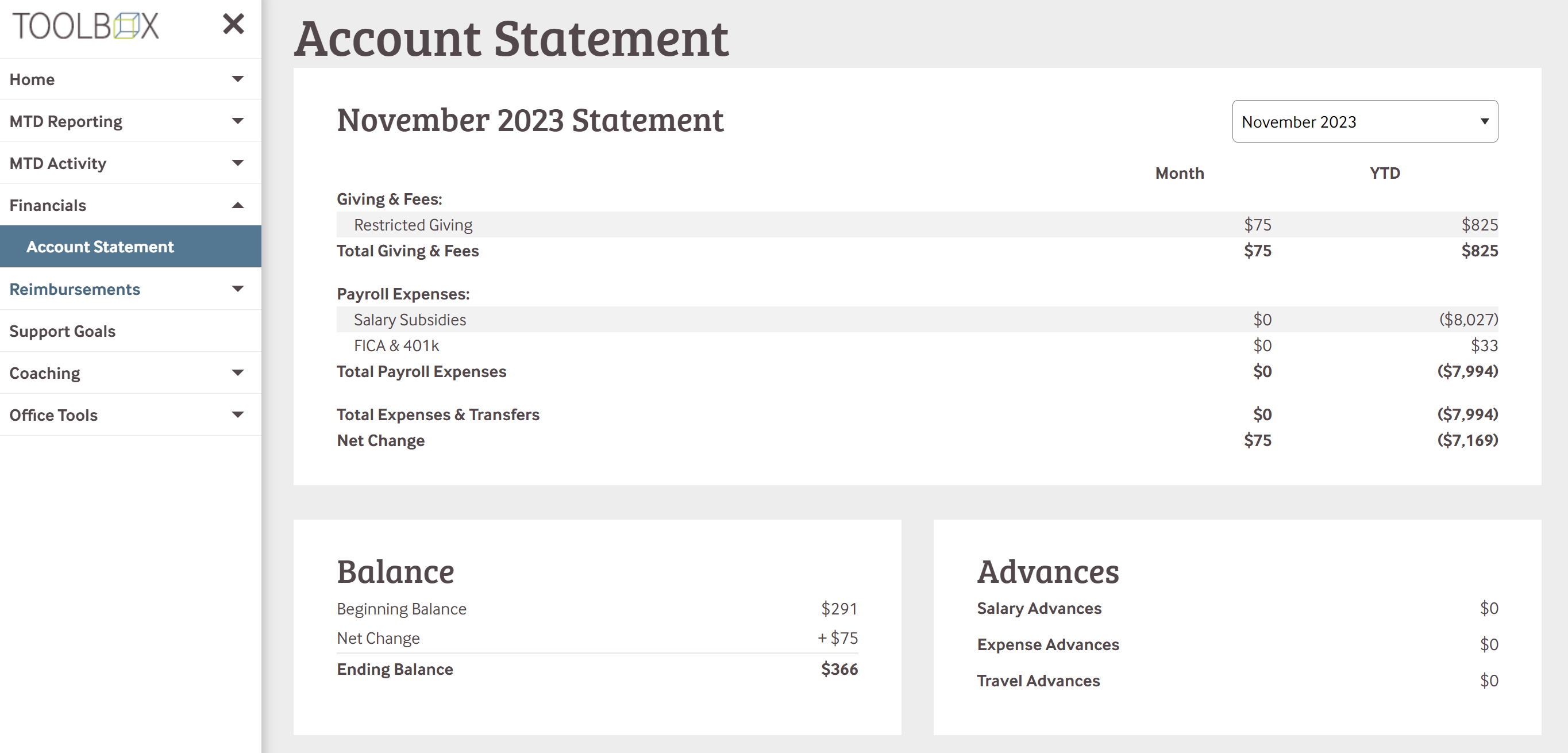
This section of toolbox allows ministry workers to see their monthly account statements. Below is what is included:
Giving & Fees - Includes all giving from the previous month as well as the fees pulled from the giving, such as admin
Payroll Expenses - This can include wages, salaries, parsonage, subsidies, medical insurance, 401k, and FICA.
Total Expenses and Transfers - Any transfers directly into the account from another Reliant account.
Net Change - This shows the change in the account balance between payroll and giving
It will also include Account Balance and Advances
Balance - Shows the beginning of the month balance minus the net change to show the final account balance for the month
Advances - Shows the list of advances from that month



 8.5.4, themed by Refined