


| Procedure Name: | Electronic Signature |
|---|---|
| Scope: | All Employees |
| Revision Date: | July 10, 2017 |
| Last Review Date: | June 9, 2023 |

How it Works
Reliant accepts signature approval from our employees via electronic means such as email or being logged in to web applications. These kinds of approval are in lieu of a traditional "pen and ink" signature. This makes administration faster and more secure for you and all our other Reliant employees worldwide.
We look for two conditions to approve electronic signatures:
- We have to know it's you. We want to securely identify our missionaries, so Reliant employees must use a password-protected, Reliant-issued account. (1: VERIFIED ID)
- We have to know that you approve. Reliant employees need to indicate that they agree/approve/etc. in their communication. (2: I APPROVE)
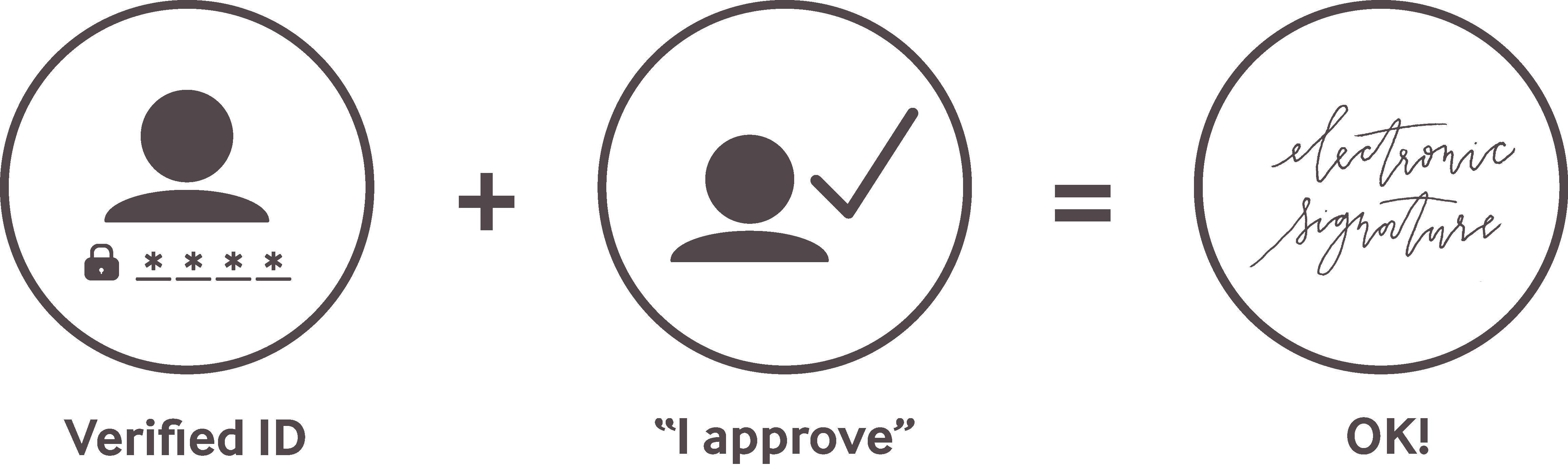
Examples:
You send an email from your verified Reliant.org email account and say "I approve this change."
You log into one of our websites (e.g., Google Drive, Toolbox), and submit a form online while logged in. Submitting the form is counted as your approval, and it's stored as a record in our database. See also Supervisor Approval for Google Forms.
Reliant Verified Accounts
As an employee, you have two verified accounts:
- Your Reliant username (formerly called "GCMID") uses our own independent login system currently used for Reliant.org.
- Google Reliant Account (first.last@reliant.org) used for emailing, storing Google Drive files, filing online reimbursements (via Google Sheets), creating your MTD Presentation book (via Google Slides), and more.
Update From the Old Policy
As of the August 2015 update of this policy:
- You no longer have to type out your email address, full name, phone number, and FD number in your electronic signature.
- Reliant will no longer be able to accept e-signatures from a personal or church email account. Your verified Reliant account is your secure signature using your password.
- It's easy to configure your first.last@reliant.org account to work with your current email program or phone and alongside your other email accounts.
- We are beginning this now, but for those employees who are new to Reliant.org accounts (e.g., some staff before 2011), we've got a grace period through the end of 2023.

2 Comments
Kristina Lilly
Dave Meldrum-Green Hey! When you have a moment, could you please review this page and the Electronic Signatures (policy) + Supervisor Approval for Google Forms pages? Julie and I are considering combining this page and Electronic Signatures Policy page into one, making it a Policy & Procedure page. Since the pages haven't been reviewed in a while, Julie asked if you'd be able to do that before we make any decisions.
Dave Meldrum-Green
Kristina Lilly I have reviewed this page.....it looks really good. Just one small edit under Examples:
You send an email from your verified Reliant.org email account and
andsay "I approve this change." I do like the idea of combining everything into a Policy and Procedures page. Also I tagged you about researching any possible changes to the e-signature of an I-9 Form. Also, we might want to be a bit more specific about this line.....We are beginning this now, but for those missionaries who are new to Reliant.org accounts (e.g. some staff before 2011), we've got a grace period through the end ofyear2023.