
After logging in, you will see the FIELD MANUAL tab. Click on the down arrow and then select the section you would like to open.
There is also a search function that you can use on the upper right hand side.
Once you click on a name of a section, you will see a list on the left side of the page that includes pages and links available in the section.
It has automatically opened to the Ministry Team Development home page (whichever page you have open will be bold on the left).
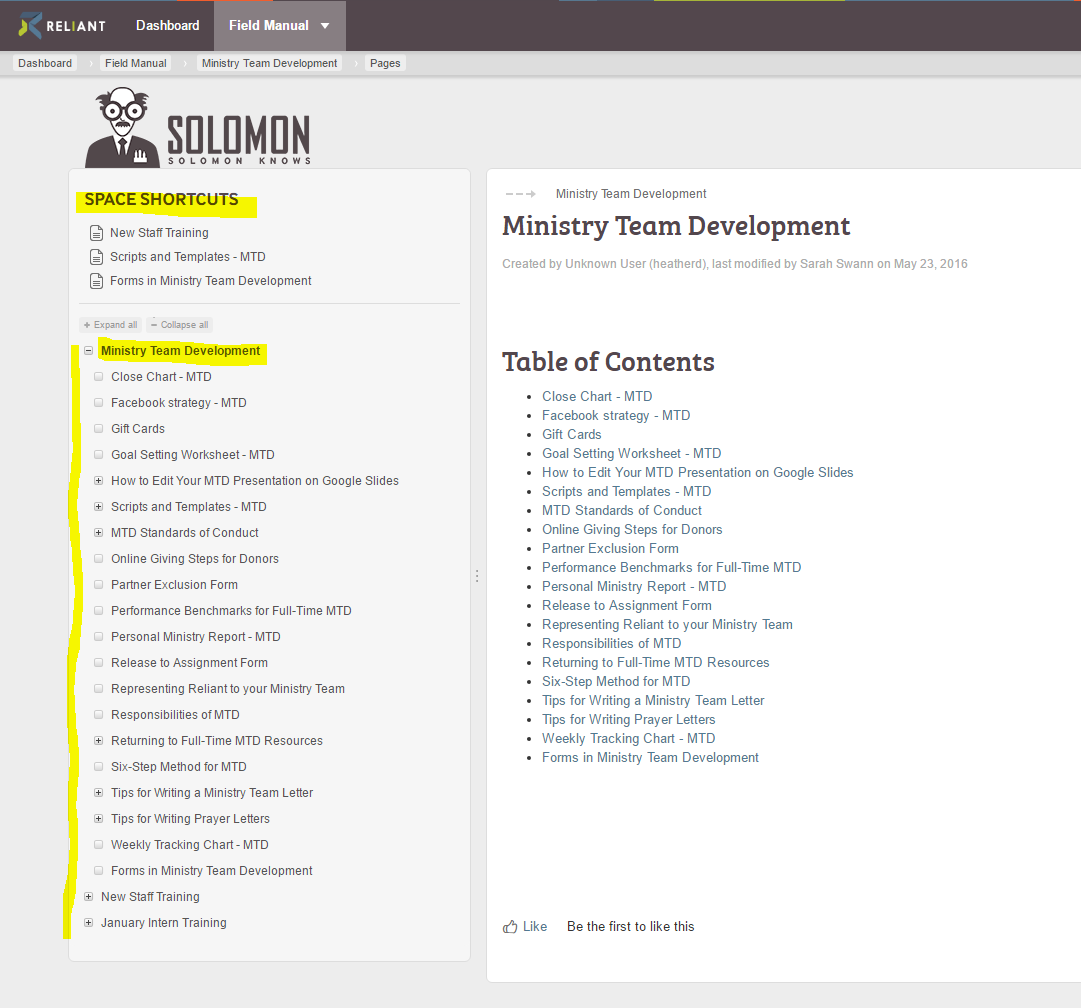
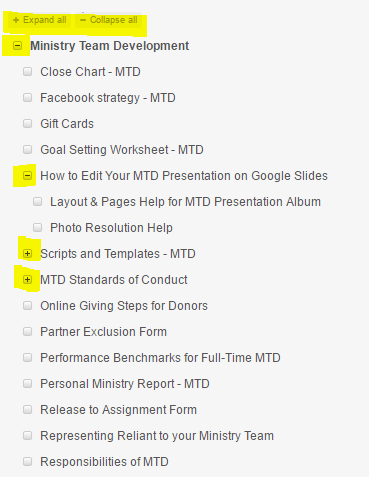
On the left side, initially the pages you see listed are the parent pages. If you click on the plus sign to the left of the words, it will open up into more visible pages. (See picture below).
If you accidentally hit this left arrow button the list of pages on the left hand side will disappear and just show you a file tree icon.
You can get the list of pages back by hitting the arrow again. (It will look like a right arrow at that point).
 Left arrow button
 File tree icon