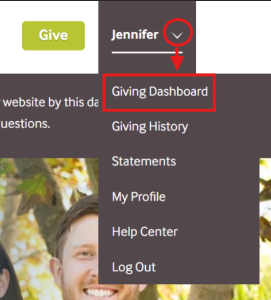
Log into your Reliant account.
|


Once signed in
|
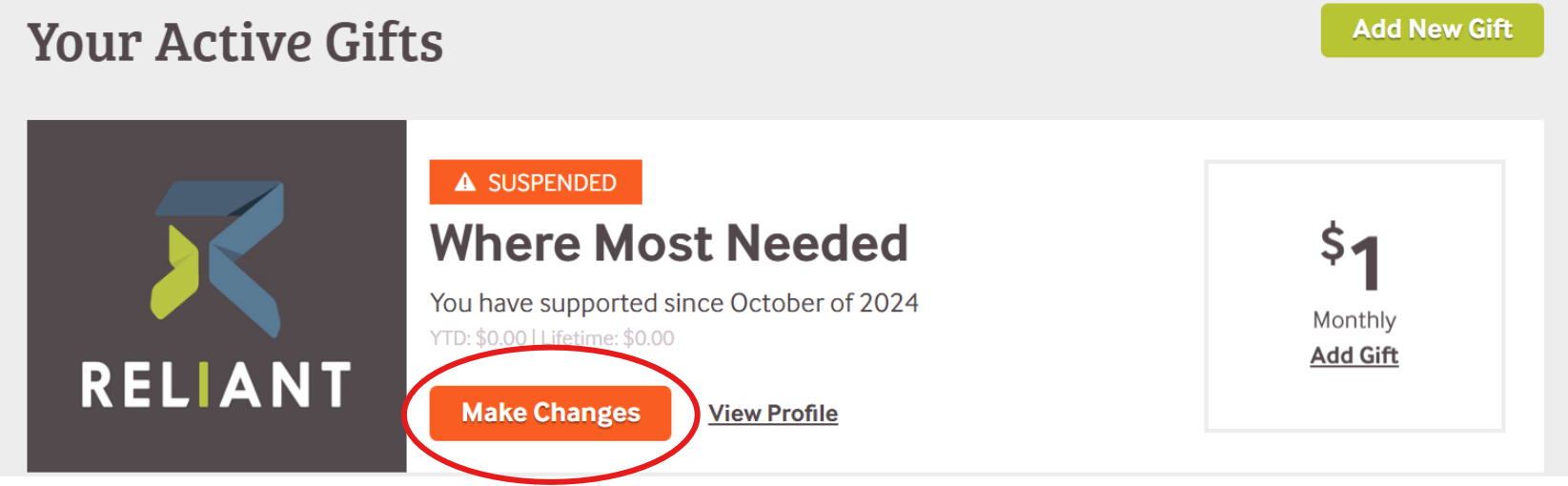
Locate the gift you want to change.
*If a gift is marked with an orange "Suspended" banner, that means there has been a disruption in giving.
|
We are so grateful for your generous investment in ministry. For those times when updates or changes need to be made, here's a handy guide.
|
If you'd rather talk to a person instead of a website, our friendly team is just a phone call or email away.
Office hours: Mon-Fri 9am-5pm, EDT
See something that needs to be added or edited on this page? Let us know! MTD@Reliant.org |