Coverage information and many other resources regarding Guidestone medical coverage are available on the Highmark website. Other resources are available on the Guidestone website. See this Solomon page for details on using that website: MyGuideStone
Which website should I use?
| HighmarkBCBS.com | My.GuideStone.org |
|---|---|
Claim details Deductible information Set up and monitor your HSA Find a provider Access discounts and cost-savings benefits | 1095-B Tax Documents Detailed Plan Documents |
Set up your Highmark account:
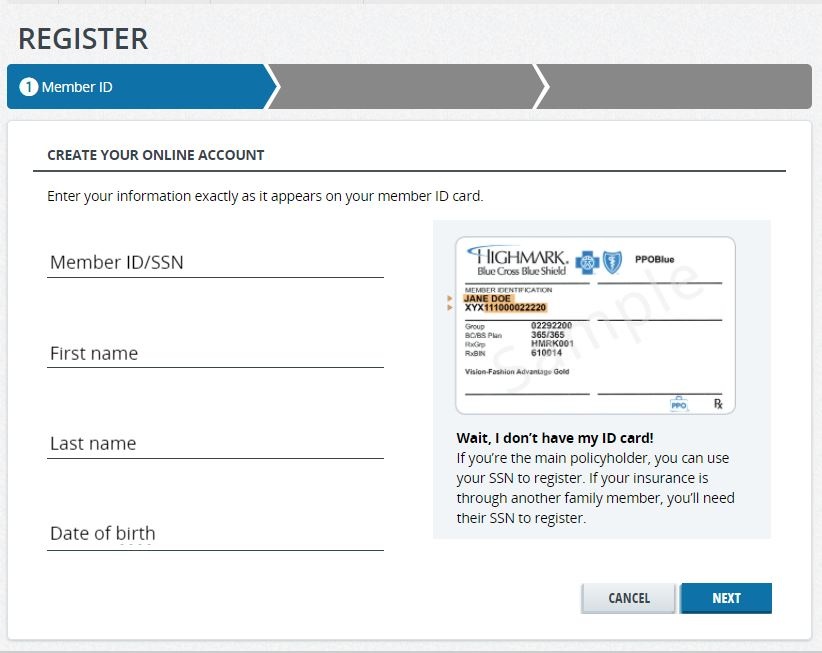
- Follow this link for the registration page: HighmarkBCBS.com.
- Enter the required information so that Highmark can locate your account. If you have not received your ID card yet, you can use your Social Security number
Answer the following questions to verify your identity.
If the address on your driver's license does not match what is registered with Guidestone, you will not pass the security check.
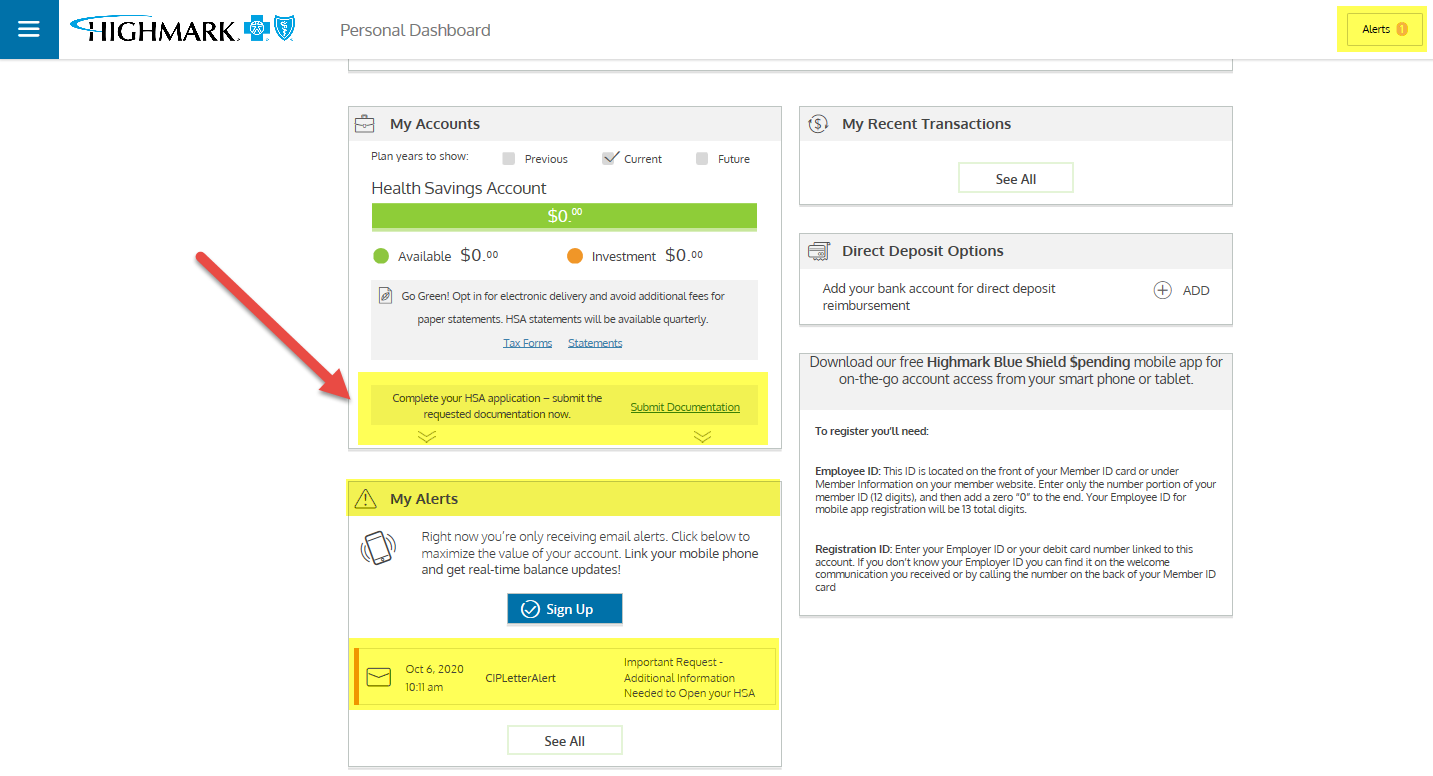
If this occurs, you will receive an e-mail and a letter in the mail with instructions you must follow to open your account in order to receive HSA contributions and use your debit card.
- Set up your log in information in order to access your account in the future.
- Make sure you are logged in, then go to "Claims and Spending" tab
- Select Access Spending Account ( this will open a new window )
-
- Once the new window is opened, you will be on your Health Saving's Account Dashboard where you can access your balance, transactions, etc...
- Look on the left side to see "Your Account", if your account requires additional steps to open, then look for Alerts, and submit additional documentation as needed. If you have no additional alerts, then the account is ready to receive funds.
- Screenshot this screen with no alerts and send it to benefits@reliant.org so we know the account is active and ready to receive funds.